For builders and general contractors
Building Project Management Software That Follows the Build, Floor by Floor
Korus is building project management software that keeps plans, bids, contracts, field activity and billing connected from the first drawing to handover, so each stage of the building starts with the facts from the one before.
- FoundationPlans and scope
- StructureBids
- EnvelopeContracts
- InteriorConstruction
- HandoverBilling and closeout
Foundation to handover
How Korus manages a building project at every stage
Each stage uses the same project record, so nothing has to be re-entered as the building goes up.
Foundation
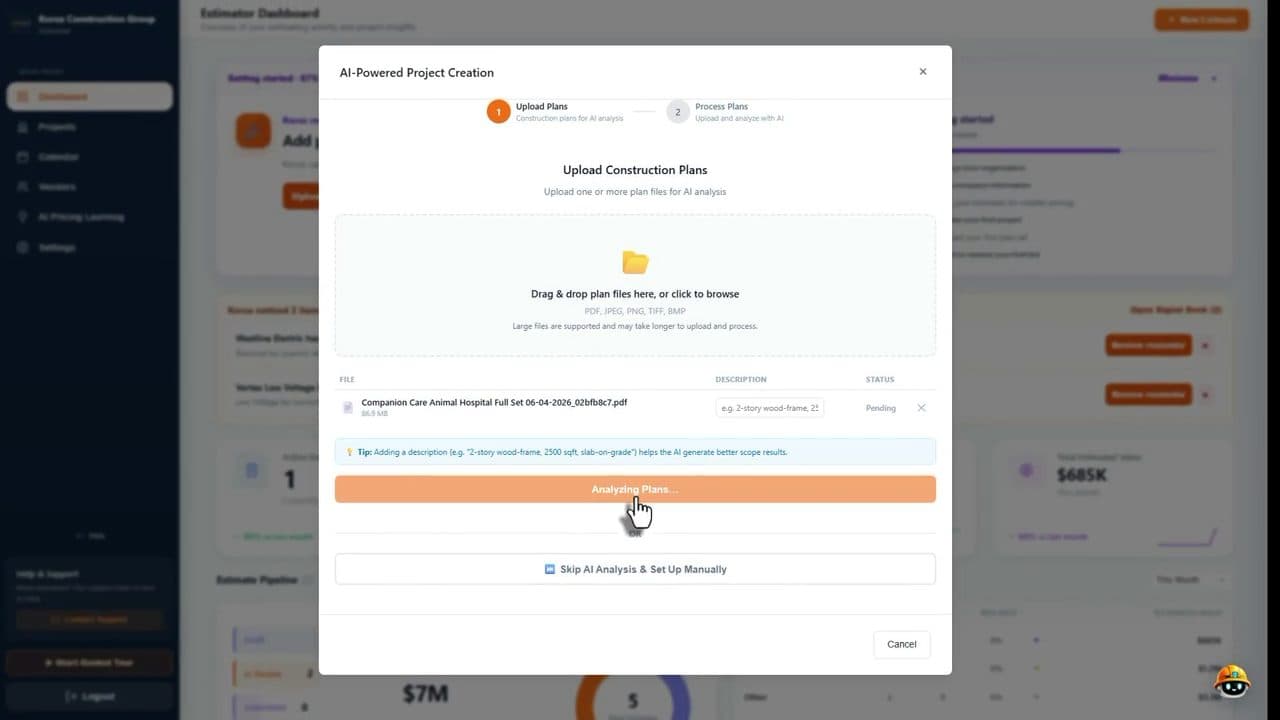
Plans and scope are set up before the first bid goes out
Upload the drawings and Korus builds the project from them: it reads the plan set, detects the trades and creates a scope to review. The rest of the building project grows from this record.
- AI plan reading and trade detection
- Initial estimate by trade
- Project details extracted for you to verify
Structure
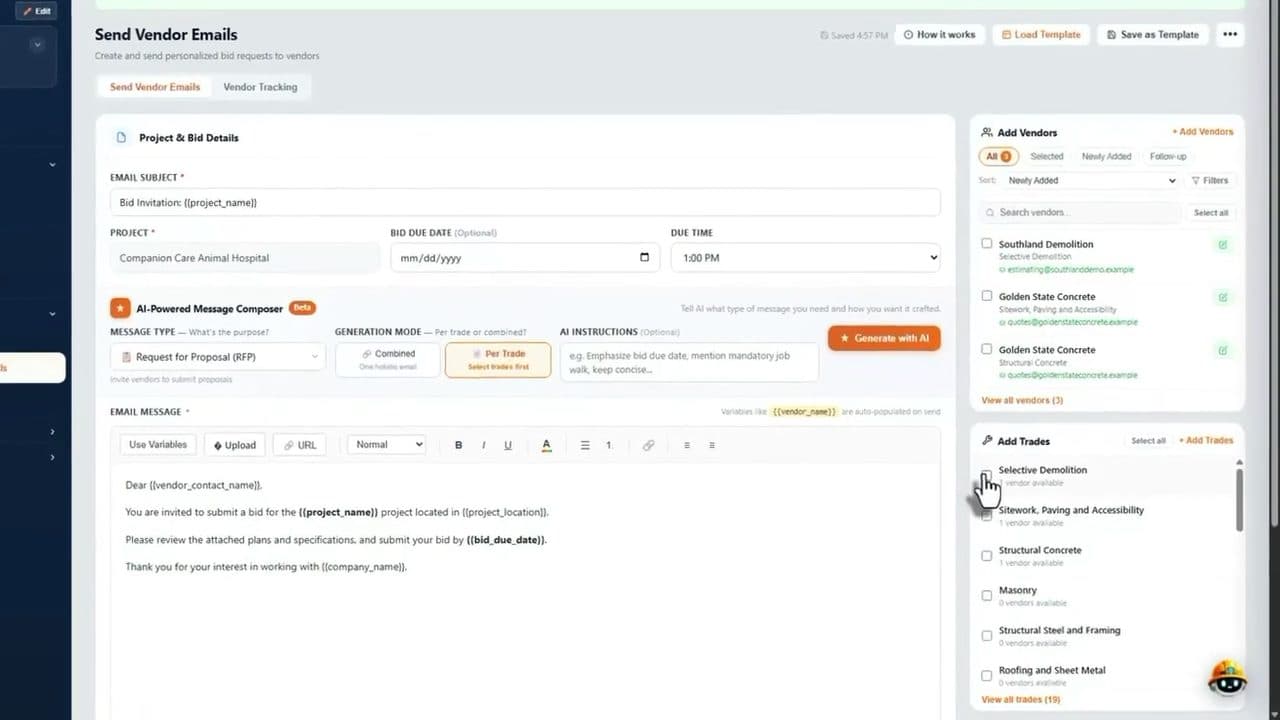
Bids come in by trade, with gaps visible
Send bid invitations to the vendors you choose, track their replies and see which trades have no bid yet. Compare proposals side by side before you award any work.
- Personalized bid emails per trade
- Vendor tracking and reminders
- Missing scope and exclusion checks
Envelope
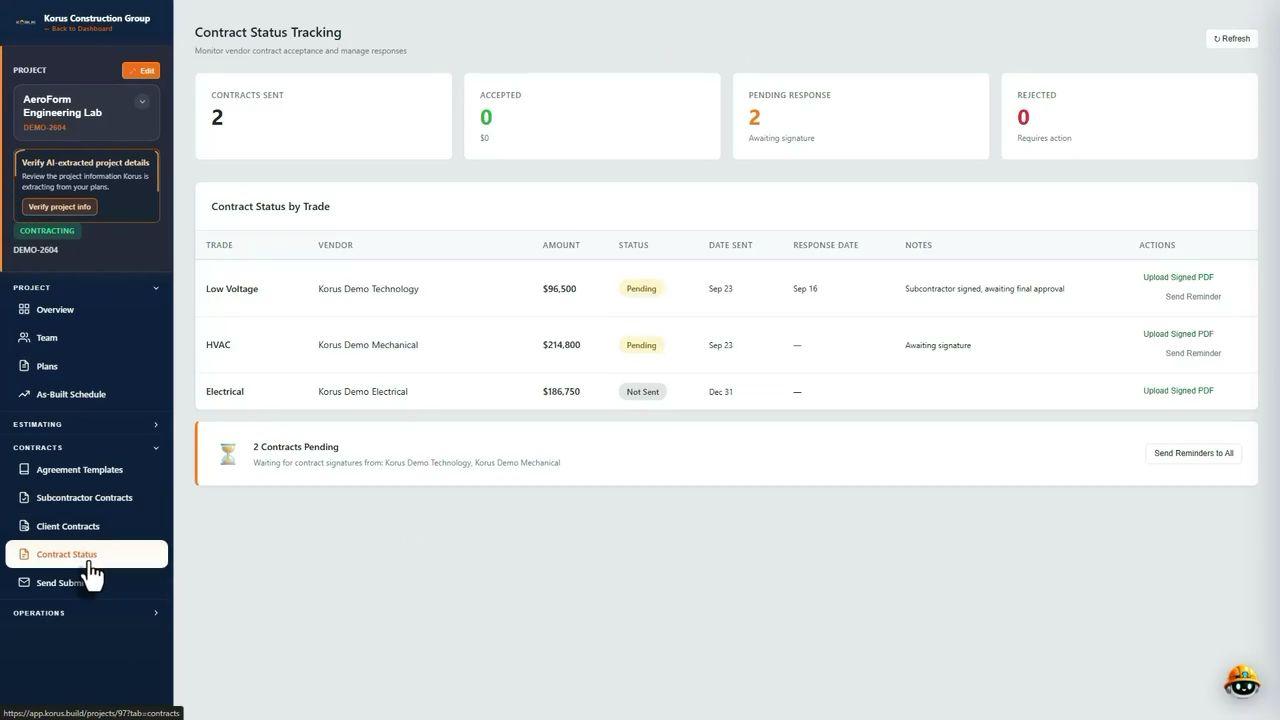
Contracts close the scope around the building
See each subcontract as sent, accepted or pending, send reminders and keep insurance certificates current. Nothing is left waiting on a signature without anyone noticing.
- Contract status by trade and vendor
- E-signature in the platform
- Insurance certificates with expiration dates
Interior
The field records the build as it happens
Superintendents capture daily logs, photos, voice notes and delays from a phone. Project managers see progress without waiting for a report, and changes are tracked from request to approval.
- Daily logs with photos and voice notes
- Delay and field issue tracking
- Change orders tied to the contract
Handover
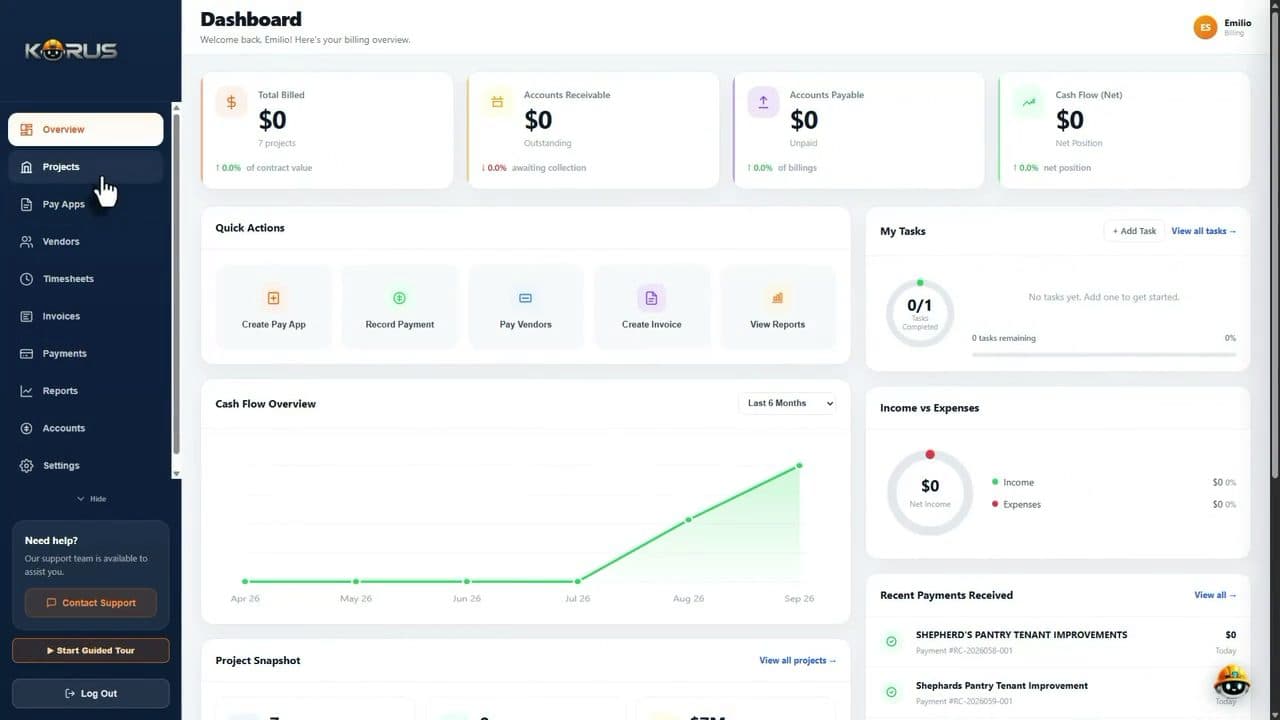
Billing and punch items close out the job
Pay applications, invoices and costs sit with the contracts and field records they depend on. Punch items captured with photos are easy to see until the last one is closed.
- Pay applications checked against the budget
- Cost codes, committed costs and cash flow
- Punch lists captured with photos
Punch walkthrough
Close out the building with photos, not a list you re-type
Walk the building, capture the issue with a photo and a note, and keep it with the project until it is closed.

Elevator lobbyCracked tile by the elevator 
Corridor 302Paint damage along the wall 
Room 310Cover plates not installed yet 
Suite 305Door closer being adjusted
What holds it together
Everything a builder needs on one project record
FAQ
Building project management software, answered
What is building project management software?
It is software that helps a builder or general contractor manage a building project from preconstruction to handover. That means reading the plans, pricing and bidding the trades, signing contracts, tracking the work on site and billing for completed work, all in one place.
How does Korus follow a building project from start to finish?
Korus organizes a project into stages: estimating, bidding, contracts, construction and closeout. Plans are analyzed by AI to create a scope by trade, bid packages go out to subcontractors, contracts are tracked, the field records daily logs and punch items, and billing draws from the same project record.
Can it handle renovations and tenant improvements as well as new buildings?
Yes. Each project starts from its own plan set, so the trades, bids, contracts and logs reflect the actual scope whether you are building ground up, renovating or fitting out a tenant space.
How do punch lists work at the end of a building project?
Superintendents capture punch items with photos from a phone while they walk the building, and Korus keeps them with the project so open items are easy to see and assign. See the punch list software page for the full workflow.
Does it help superintendents on site?
Yes. Field teams can capture daily logs, photos, voice notes, delays and punch items from mobile, and the office sees the update without waiting for a report at the end of the day.
Is this the same as scheduling software?
No. A schedule is one part of managing a building project. Korus is built to keep the whole job connected: scope, bids, contracts, field activity, budgets and billing, with project managers tracking RFIs, tasks, schedules and changes in the same workspace.
Explore more of the Korus platform
Put your next building project on one connected record
Book a demo and we will walk a project from plans to handover in Korus.