Built for general contractors
Construction and Project Management Software, Connected From Bid to Billing
Korus is construction and project management software that brings estimating, subcontractor bids, contracts, field reports and billing into one AI-powered workspace, so your team stops re-entering the same information.
- Estimate
- Bid
- Contract
- Build
- Bill
Why one platform
Most construction teams run projects across five tools and a lot of email
Every handoff between those tools is a chance to lose a bid, miss an exclusion or bill late. Construction project management software works best when the handoffs disappear.
Disconnected tools
- Plans, bids and estimates live in different files and inboxes
- Status updates come from calls, texts and end-of-day emails
- Change orders and budgets are reconciled by hand
- Insurance and contract paperwork is chased at the last minute
- Billing starts with a scavenger hunt for the facts
One connected workspace
- One project record holds scope, bids, contracts and costs
- Field updates are captured once and visible to the office
- Changes and budget movement stay tied to the contract
- Contract status and insurance dates are tracked by trade
- Pay apps draw on connected project records
The platform, stage by stage
Follow one project through Korus
Pick a stage to see the real product screens and what your team gets at that point in the job.
Start every project from the plans, not a blank sheet
Upload the drawings and Korus reads the plan set, detects the trades and builds an initial scope and estimate you can review. Estimators spend their time checking numbers instead of retyping them.
See AI estimating- AI plan reading that organizes scope by trade
- Line-item estimate with markup controls
- Flags scope that nobody has priced yet
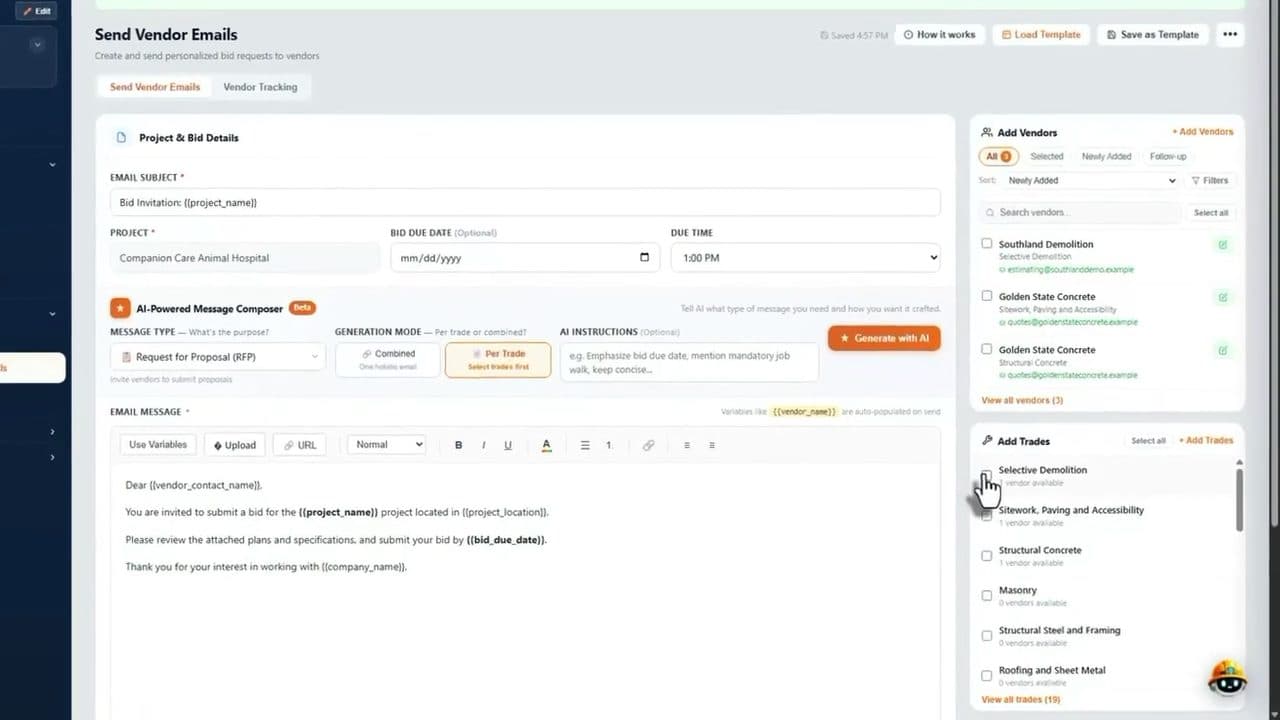
Send bid packages and see who has actually responded
Choose vendors by trade, send personalized bid invitations and follow every response. Korus reminds vendors who have gone quiet and shows which trades still have no bid.
See bid management- Bid invitations emailed to the vendors you pick
- Vendor tracking and automatic reminders
- Side-by-side bid comparison and gap checks
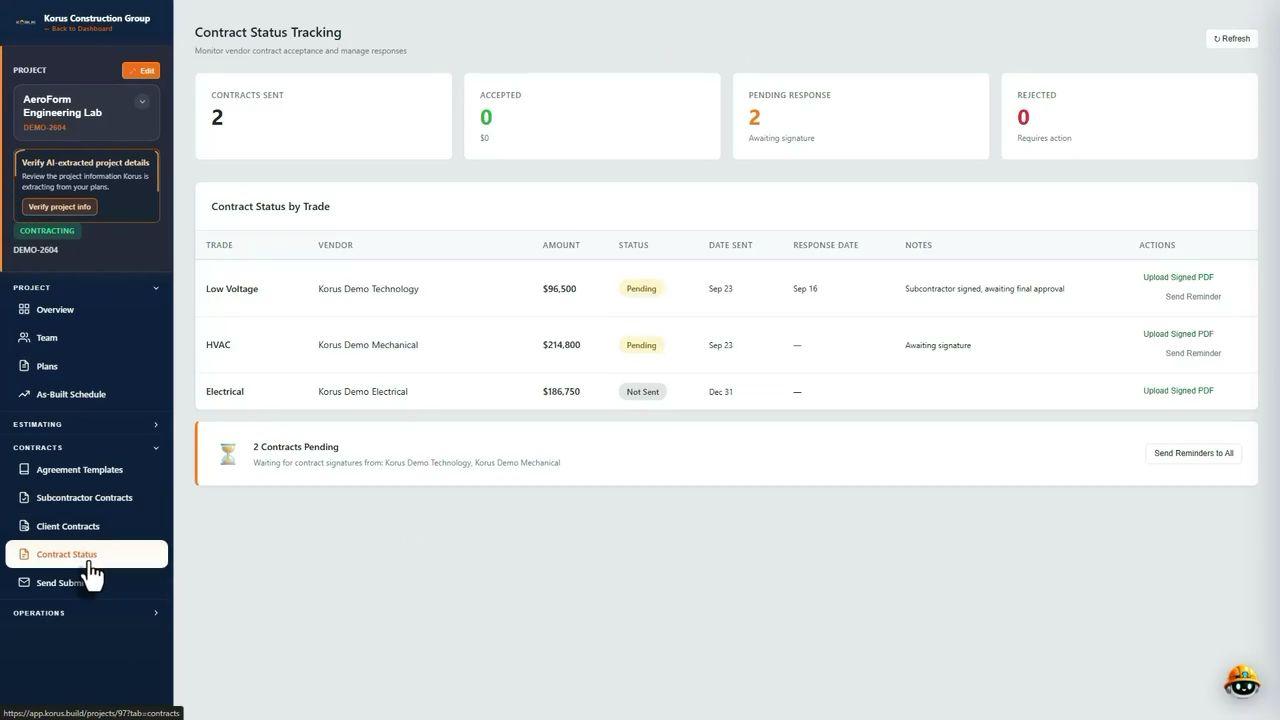
Know where every subcontract stands
Track which contracts are sent, accepted or waiting on a signature, by trade and vendor. Send reminders in one click, and keep insurance certificates current before work begins.
See contract signing- Contract status by trade and vendor
- E-signature for subcontracts and client contracts
- Certificates of insurance with expiration dates
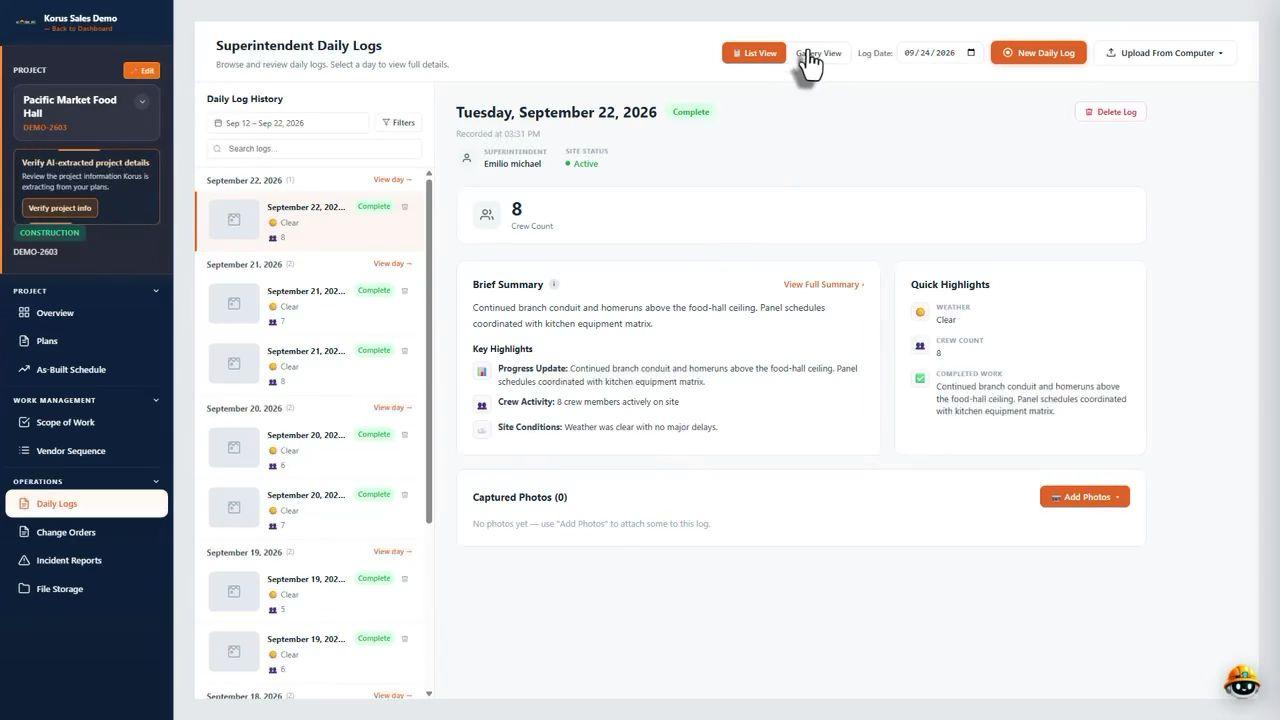
Turn jobsite updates into progress the office can see
Superintendents capture daily logs, photos, voice notes, delays and punch items from a phone. Project managers see the update without waiting for a report, and it stays with the project.
See daily logs- Daily logs with photos and voice notes
- Punch lists and delay tracking
- Change orders from request to approval
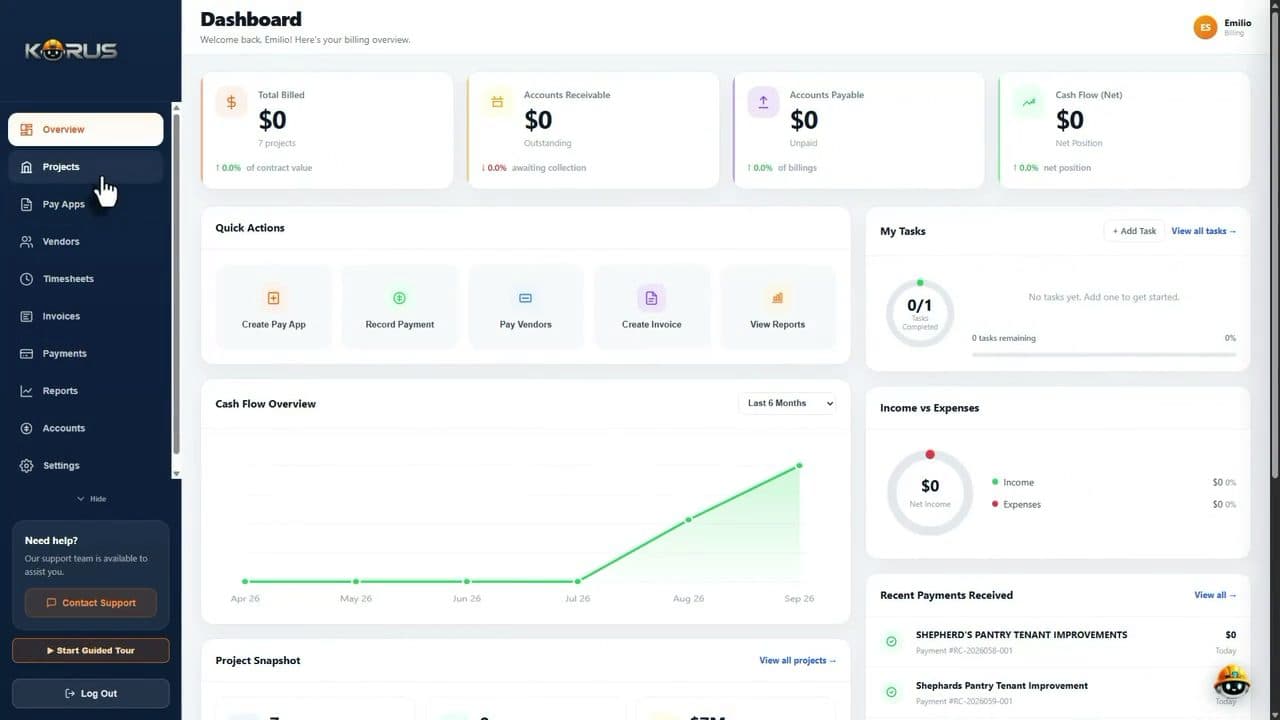
Get from completed work to billing faster
Pay applications, invoices, cost codes and committed costs sit next to the contracts and field records they depend on, so accounting is not rebuilding the story from emails.
See billing software- AIA-style pay applications checked against the budget
- Cost codes, committed costs and cash flow
- Invoices and payments by project
For the whole team
Construction management software that works for every role on the job
Estimators
Read plans faster, organize scope by trade and compare vendor bids without a spreadsheet maze.
Project managers
One workspace for contracts, RFIs, tasks, change orders and budgets across every active job.
Superintendents
Log the day from a phone with photos and voice notes instead of writing it up at night.
Accounting
Invoices, cost codes and pay apps connected to what was contracted and built.
Owners and executives
A clear view of project status and exposure across the company, without asking for updates.
Everything connected
Every workflow your project management software needs to cover
Each piece works on its own and gets stronger together. Open any workflow to see how it works.
- AI estimatingPlans in, trade-by-trade scope and a first estimate out.
- Bid managementSend bid packages and follow every vendor response.
- Bid levelingCompare subcontractor bids and exclusions side by side.
- Subcontractor managementVendors, contracts and compliance in one place.
- Contract signingSend subcontracts and client contracts for e-signature.
- Change ordersFollow each change from request to approval.
- COI trackingKeep insurance current with expiration dates.
- Daily logsField progress, photos and delays without double entry.
- Voice notesSpeak the update and keep it with the project.
- Punch listsCapture and close out items with photos.
- Billing and pay appsAIA-style pay applications tied to the budget.
- Client portalGive owners a clear view of the project.
Questions
Construction and project management software, answered
Want to see it on your own plans? Book a demo.
What is construction and project management software?
It is software that helps a contractor plan, bid, build and bill projects in one system instead of spreadsheets, email threads and separate apps. It usually covers estimating, subcontractor bids, contracts, field reporting, change orders, budgets and billing. Korus adds AI that reads your plans and organizes scope by trade.
What features should construction and project management software have?
Look for estimating and bid management, subcontractor and vendor tracking, contracts and change orders, daily logs and punch lists from the field, and budgets and pay applications. The most useful systems keep all of this on one project record so nothing has to be re-entered between the office and the field.
Who is Korus built for?
Korus is built for general contractors and construction teams that coordinate estimating, subcontractor pricing, field reporting and cost tracking across active projects. It is especially useful for teams that are growing beyond spreadsheets, email and disconnected tools.
How is this different from a generic project management tool?
A generic task board tracks tasks. Construction teams also need to read plans, send bid packages, compare subcontractor proposals, track contracts and insurance, record daily logs and bill against a schedule of values. Korus is built around those workflows, with AI helping on the repetitive parts.
Does Korus replace the tools we already use?
Not necessarily. Korus is designed to become the connected workflow layer for your team. It can reduce your dependence on spreadsheets, manual tracking and scattered communication, but you do not have to change everything overnight.
How do I get started?
Book a demo and we will walk through a project with you. If you only want to see the estimating side first, you can also try the free AI construction estimator.
Explore more of the Korus platform
See construction and project management software that does the repetitive work
Book a demo and we will walk through a project, from plans and bids to field updates and billing.